ImageVids AI

Free AI Image to Video Generator

Turn images into AI-generated videos with free trial credits. Upload a photo, write a motion prompt, choose a video model, and create your first AI image-to-video clip with ImageVids AI.

Image

Model

New model available

Duration

Quality

Expect about 2 minutes for AI magic to work.

Generation History

No generations yet

Generated videos will appear here after you upload an image or write a text prompt.

Creative Workflow

Free AI Image to Video Generator for Photos, Products, Anime, and More

Looking for a free AI image to video generator? ImageVids AI helps you turn static images into short AI-generated videos using motion prompts and multiple AI video models. Upload an image, describe the movement, choose settings such as aspect ratio and duration, then generate a video from your image online.

Source Image Before

Source Image

After

Generated Motion

Workflow

How to Use the Free AI Image to Video Generator

Create your first AI video from an image in a few steps. Start with a clear image, describe the motion, choose a model, and generate with your free trial credits.

1

Upload an Image

Choose a photo, product image, portrait, anime artwork, landscape, or concept image. Clear images with a strong subject usually produce better AI video results.

2

Add Motion and Settings

Describe what should move, then choose a video model, aspect ratio, duration, and resolution. Add camera direction, subject action, lighting changes, and atmosphere.

3

Generate and Refine

Create your AI video with free trial credits, review the result, then adjust the prompt or try another model when you want stronger motion or a cleaner output.

Start Free
Free Trial

What Does "Free" Mean on ImageVids AI?

ImageVids AI gives new users free trial credits so you can test AI image-to-video generation before paying. Use your credits to upload images, try motion prompts, compare models, and see how your photos, product shots, portraits, anime art, or landscapes look as AI-generated videos.

Free trial credits are designed for testing and exploration. When you need more generations, higher-quality models, HD exports, watermark-free downloads, faster processing, or commercial use, you can upgrade to a paid plan.

Plan Comparison

Free Trial vs Paid Plans

Start for free, test your image-to-video ideas, then upgrade only when you need more credits, better quality, or publish-ready exports.

Feature
Free Trial
Paid Plans
AI image to video generation
Included with free trial credits
More monthly or purchased credits
Model access
Limited test models
More models and advanced options
Resolution
Standard test exports
HD or higher-resolution exports
Watermark
Watermark included
Watermark-free generation
Commercial use
Limited or personal testing
Available on eligible paid plans
Queue speed
Standard queue
Faster or priority processing
Generation length
Limited by free credit rules
Longer videos
Best for
Testing prompts and models
Publishing, client work, ads, and production
Examples

Free AI Image to Video Examples

See how a still image can become a moving AI video. Each example starts with an original image, a motion prompt, and a generated video result.

Product Image to Video

Free test

Motion Prompt

A premium product video. The camera slowly pushes in toward the product while soft studio light moves across the surface. Clean background, subtle reflections, elegant commercial style.

  • Aspect ratio: 1:1 or 16:9
  • Best for: ecommerce, product ads, social posts
Try This Prompt

Portrait Photo to Video

Free test

Motion Prompt

The person gently turns toward the camera, blinks naturally, and gives a subtle smile. Soft hair movement, warm natural light, slow close-up camera motion.

  • Aspect ratio: 3:4 or 9:16
  • Best for: portraits, creator profiles, social clips
Animate a Portrait

Anime Image to Video

Free test

Motion Prompt

The anime character blinks and turns slightly as glowing particles drift through the background. Smooth camera pan from left to right, cinematic lighting, stylized anime atmosphere.

  • Aspect ratio: 9:16 or 16:9
  • Best for: anime edits, character clips, short-form content
Create Anime Video

Landscape Image to Video

Free test

Motion Prompt

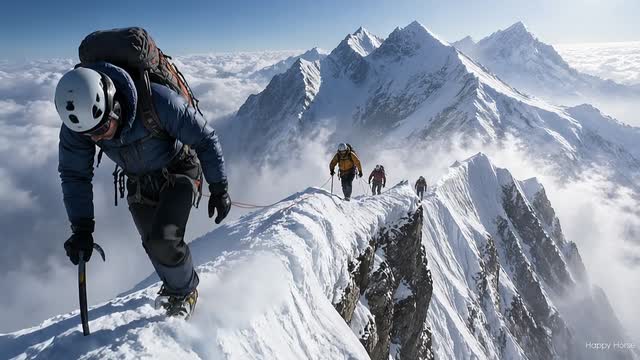
Clouds drift slowly across the sky, sunlight moves over the mountains, and the camera glides forward through the scene with realistic depth and soft atmospheric motion.

  • Aspect ratio: 16:9
  • Best for: travel videos, real estate, cinematic scenes
Animate a Landscape
Create Your Own Example
Source Quality

Which Images Work Best for AI Image to Video?

Your source image has a big impact on the final video. For the best free image-to-video test, start with a clear, high-quality image and a simple motion idea.

Clear Subject

Use an image with one obvious subject, such as a person, product, character, building, or landscape feature.

Good Lighting

Images with clean lighting and visible details are easier for AI video models to animate naturally.

Simple Background

A less cluttered background can reduce artifacts and make camera motion feel smoother.

Strong Composition

Images with a centered or well-framed subject work well for zoom, push-in, orbit, and pan effects.

Enough Resolution

Avoid tiny or blurry images. Higher-quality source images usually create better AI video results.

Specific Motion Goal

Before generating, decide whether you want camera movement, subject motion, lighting changes, background motion, or a cinematic atmosphere.

Prompt Ideas

Free Image to Video Prompt Examples

Use these motion prompts to test ImageVids AI with your free trial credits. Replace the subject or scene details to match your uploaded image.

Cinematic Push-In

The camera slowly pushes in toward the main subject. Soft light moves across the scene, the background shifts slightly, and the motion feels cinematic, calm, and realistic.

Product Ad Motion

A clean product advertisement shot. The camera rotates gently around the product while studio lighting reflects across the surface. Minimal background, premium commercial style.

Portrait Animation

The person gently turns their head toward the camera, blinks naturally, and gives a subtle smile. Soft hair movement, warm lighting, slow close-up camera motion.

Anime Character Motion

The anime character's hair moves in the wind, glowing particles drift through the background, and the camera pans slowly from left to right with cinematic anime lighting.

Landscape Motion

Clouds move slowly across the sky, sunlight shifts over the mountains, and the camera glides forward with realistic depth and soft atmospheric motion.

Social Media Clip

Create a dynamic short-form video. The camera makes a smooth push-in, background elements move subtly, and the scene has energetic lighting for a TikTok or Reels-style clip.

Try These Prompts
Models

Choose the Right AI Video Model

Different images need different motion styles. ImageVids AI supports multiple AI video models, so you can test fast drafts, cinematic shots, realistic motion, and higher-quality output from one workspace.

Compare AI Video Models
Seedance 1.5 Pro
Grok Imagine
Happy Horse 1.0
Seedance 2.0 Fast
Seedance 2.0
Lanta 2.1
Wan 2.2
Wan 2.5
Wan 2.6
Wan 2.7
Kling 3.0
Kling 2.6
Kling 2.5 Turbo
Veo 3.1 Fast
Veo 3.1
Lanta 2.0
Features

Key Features of ImageVids AI Free Image to Video Generator

Free Trial Credits

Start testing AI image-to-video generation without committing to a paid plan.

Image to Video Generation

Upload a still image and turn it into a moving AI-generated video with a prompt.

Multiple AI Video Models

Try different models for faster drafts, cinematic motion, realistic movement, or higher-quality output.

Motion Prompt Control

Guide camera movement, subject action, lighting changes, background motion, and overall style.

Flexible Aspect Ratios

Create square, vertical, portrait, and widescreen videos for different platforms and use cases.

Upgrade Path

Move from free testing to HD exports, no watermark, faster generation, advanced models, and commercial use.

Why ImageVids AI

Why Choose ImageVids AI?

Built for Image to Video

ImageVids AI focuses on turning images into AI videos, so the workflow is optimized around uploads, motion prompts, model selection, and video generation.

Free Trial Before Upgrade

Test prompts, models, and image styles with free trial credits before you pay for more generations or final exports.

More Model Choice

Different images need different motion styles. Choose the model that fits your goal instead of relying on one fixed output style.

Clear Upgrade Path

Use free credits for testing. Upgrade when you need HD, no watermark, faster processing, commercial use, or more credits.

Designed for Real Use Cases

Create videos for product ads, social media, portraits, anime, storytelling, real estate, travel, and marketing content.

Simple Creative Workflow

Upload an image, describe the motion, choose settings, and generate an AI video without learning editing software.

FAQ

FAQs About Free AI Image to Video Generator

Is ImageVids AI free to use? +

Yes. ImageVids AI gives new users free trial credits for AI image-to-video generation. You can use these credits to test prompts, models, and video styles before upgrading.

Is the free AI image to video generator unlimited? +

No. ImageVids AI provides free trial credits for testing. Free credits may have limits based on account eligibility, model access, duration, resolution, queue speed, and export options.

Do I need an account to use the free generator? +

A free account may be required to receive trial credits, save generations, manage credit usage, and access your generated videos.

What is an AI image to video generator? +

An AI image to video generator turns a still image into a moving video. You upload an image, describe the motion you want, choose settings such as model, aspect ratio, duration, and resolution, then generate an AI video.

What images work best for AI image to video? +

Clear images with a visible subject usually work best. Product photos, portraits, anime art, landscapes, real estate images, and concept art can all work well when paired with a clear motion prompt.

What should I write in the motion prompt? +

Describe what should move. For example: camera push-in, subject turns toward the camera, hair moves in the wind, clouds drift, lights change, or the product rotates slowly.

Are free videos watermarked? +

Free trial generations may include limits or watermarks depending on your plan and settings. Paid plans can unlock watermark-free exports.

Can I export HD videos for free? +

Free trial exports may use standard resolution. HD or higher-resolution exports may require additional credits or a paid plan.

Can I use free generated videos commercially? +

Commercial use is available on eligible paid plans. Free trial generations are mainly intended for testing. Check the pricing page and terms before using generated videos for ads, client work, or commercial publishing.

Can I generate NSFW or adult content? +

No. ImageVids AI does not support NSFW, adult, sexually explicit, nude, non-consensual, or deepfake-style misuse. All generations must follow our Content Policy.

Free AI Image to Video Generator

Create Your First AI Video from an Image for Free

Upload an image, write a motion prompt, choose an AI video model, and test image-to-video generation with free trial credits. Start with a quick draft, then refine the prompt when you are ready for a stronger result.